 Odoo 18 · 19
Connect any AI to Odoo
Connect Claude, ChatGPT and other AI assistants to Odoo in minutes. No configuration: paste one address, log in with Odoo, ask in plain language.
Read-only by default. The AI sees only what the user can see.
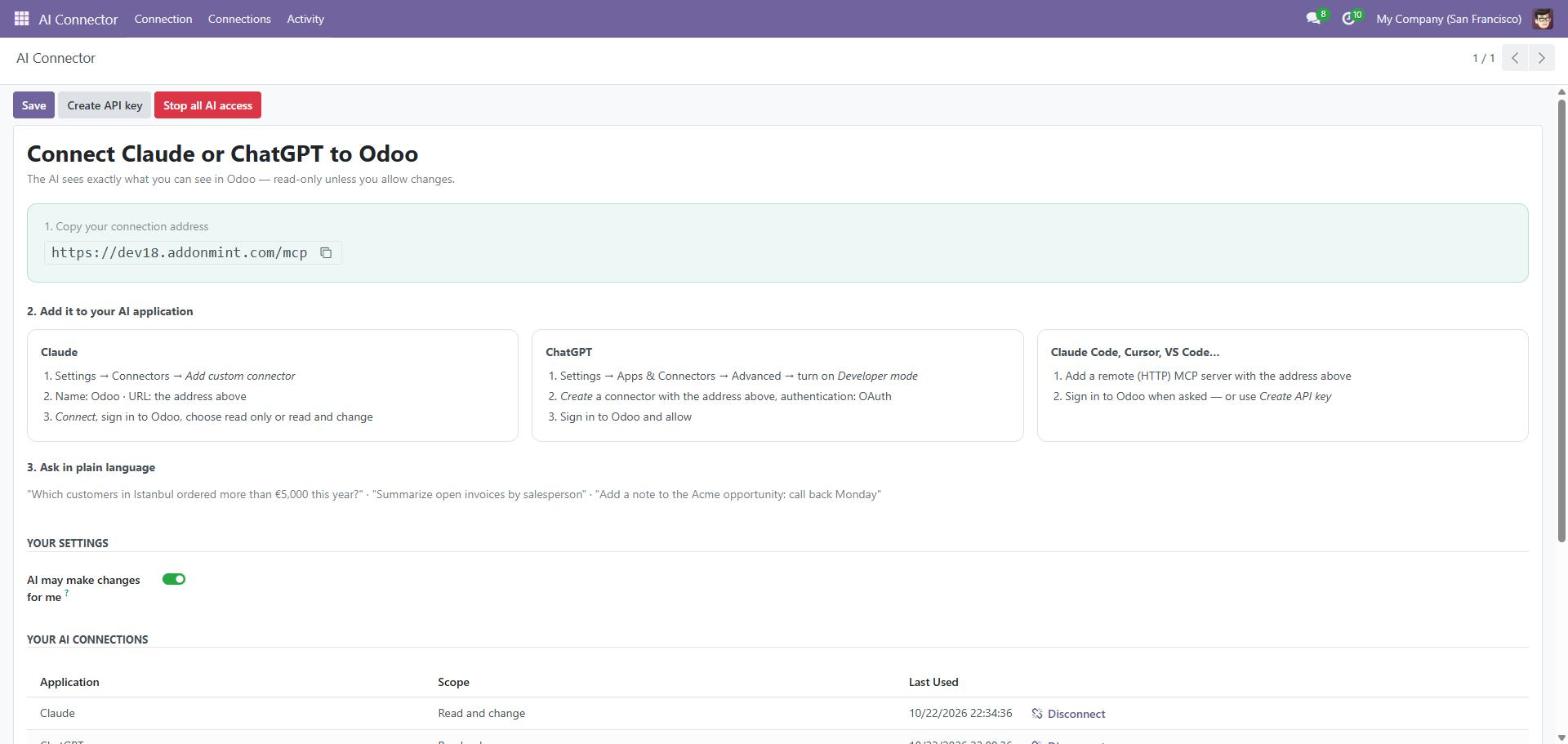
From install to first answer in minutes
Install
No settings to fill in, no models to pick. Odoo's own access rights decide what the AI can see.
Paste one address
Copy the connection address from the AI Connector screen into Claude or ChatGPT.
Log in and ask
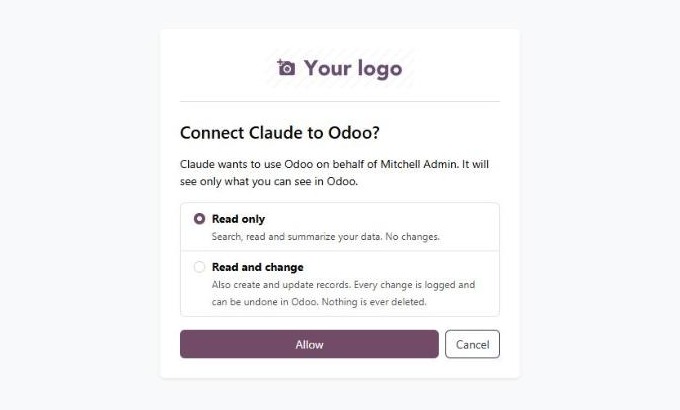
Sign in with your Odoo account, choose read only or read and change, and start asking.
Safe by default
- Every call runs as the connected user — no sudo, no extra rights
- New connections are read-only; changes need the user's own permission
- Nothing is ever deleted — there is no delete tool
- Passwords, API keys and technical settings are never exposed
- Administrators choose who can connect and can stop all AI access at once
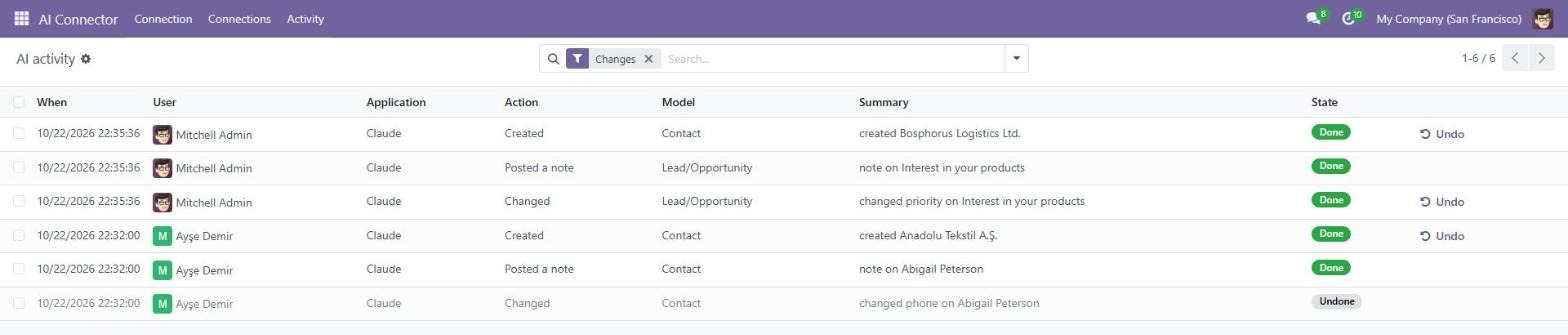
Every AI action, with Undo
- Plain-language activity log: who, which AI, what changed
- Undo any create or update with one click
- Disconnect any AI application at any time
Technical details
| Odoo versions | 18.0 and 19.0 |
|---|---|
| Tested on | Community edition |
| Hosting | Odoo.sh or on-premise, public https address |
| AI clients | Claude, ChatGPT, Claude Code, Cursor, VS Code and other MCP clients |
| Sign-in | OAuth 2.1 with PKCE, or an MCP-only API key |
| Languages | English, Türkçe |
| Price | €10, one-time |
Questions
Which Claude or ChatGPT plan do I need?
One that allows custom connectors — for example Claude Pro, Max, Team or Enterprise, or ChatGPT with developer mode. Check your AI provider's current plans.
Can the AI see data I cannot see?
No. Every request runs as you, with your access rights, record rules and companies.
Can it break my data?
Connections are read-only unless you allow changes. Changes are limited to creating and updating records, every change is logged, and you can undo it in Odoo. Nothing is deleted.
Does it work on Odoo Online?
Standard Odoo Online does not allow third-party modules. Use Odoo.sh or your own server.
Ask your Odoo in plain language
€10 once. Need help connecting? We answer within one business day.